
Extracteur d’URL de sitemap XML gratuit
Transformez les sitemaps XML en listes d’URL propres. Extrayez les liens pour la vérification d’indexation en masse et les audits SEO techniques. Export TXT, CSV et PDF.
Transformez du code illisible en données actionnables
https://site.com/page1
https://site.com/page2
https://site.com/about
https://site.com/contact
...
Qu’est-ce qu’un extracteur d’URL de sitemap ?
A Sitemap URL Extractor is a specialized SEO tool designed to parse XML sitemap files and retrieve a clean, plain-text list of all containing URLs.
Unlike viewing the raw XML code, which is cluttered with metadata like <lastmod> and <priority> l’extracteur retire le code pour vous donner une liste brute de liens.
If you’re new to sitemaps, Google’s official documentation is the best starting point:
Sitemaps overview (Google Search Central).
Cet outil est essentiel pour les SEO qui doivent auditer en masse, vérifier l’indexation ou valider une migration sans copier des centaines de liens à la main. Parsing can sometimes fail due to firewalls, redirects, invalid XML, or server errors. Study the table, which lists the main causes of parsing problems and ways to solve them. For additional trusted references, see the official Sitemaps XML protocol (sitemaps.org) and the Google Search Console sitemap help page.
Saisissez le lien vers votre sitemap XML (ex. https://site.com/sitemap.xml).
Voir l’export de sitemap en action
Regardez ce tutoriel court pour voir comme il est simple d’extraire toutes les URL de votre sitemap pour l’indexation ou la vérification en masse.
⚡ Pourquoi le faire à la main ? Automatisez-le dans le tableau de bord.
This tool on the current page gives you a text file. That's fine for small tasks. But inside the SpeedyIndex Web App, you get a complete workflow without the copy-paste mess:
- ✅ Extract & Analyze: Importez les sitemaps directement dans votre projet.
- 🔍 Instant Check: Select the extracted links and run a Bulk Index Check (Google, Bing, or Yandex) immediately.
- 🚀 One-Click Indexing: Des pages non indexées ? Envoyez-les immédiatement au service d’indexation.
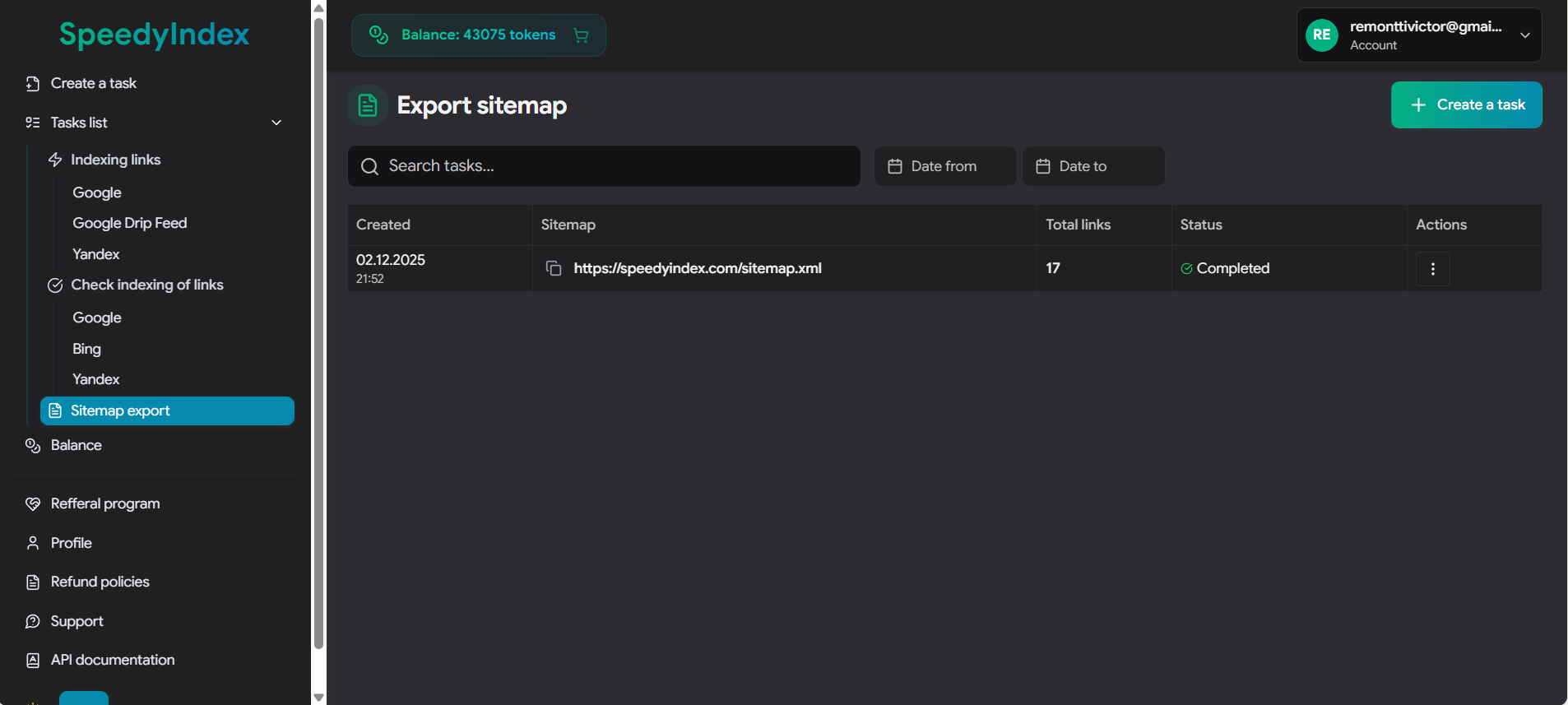
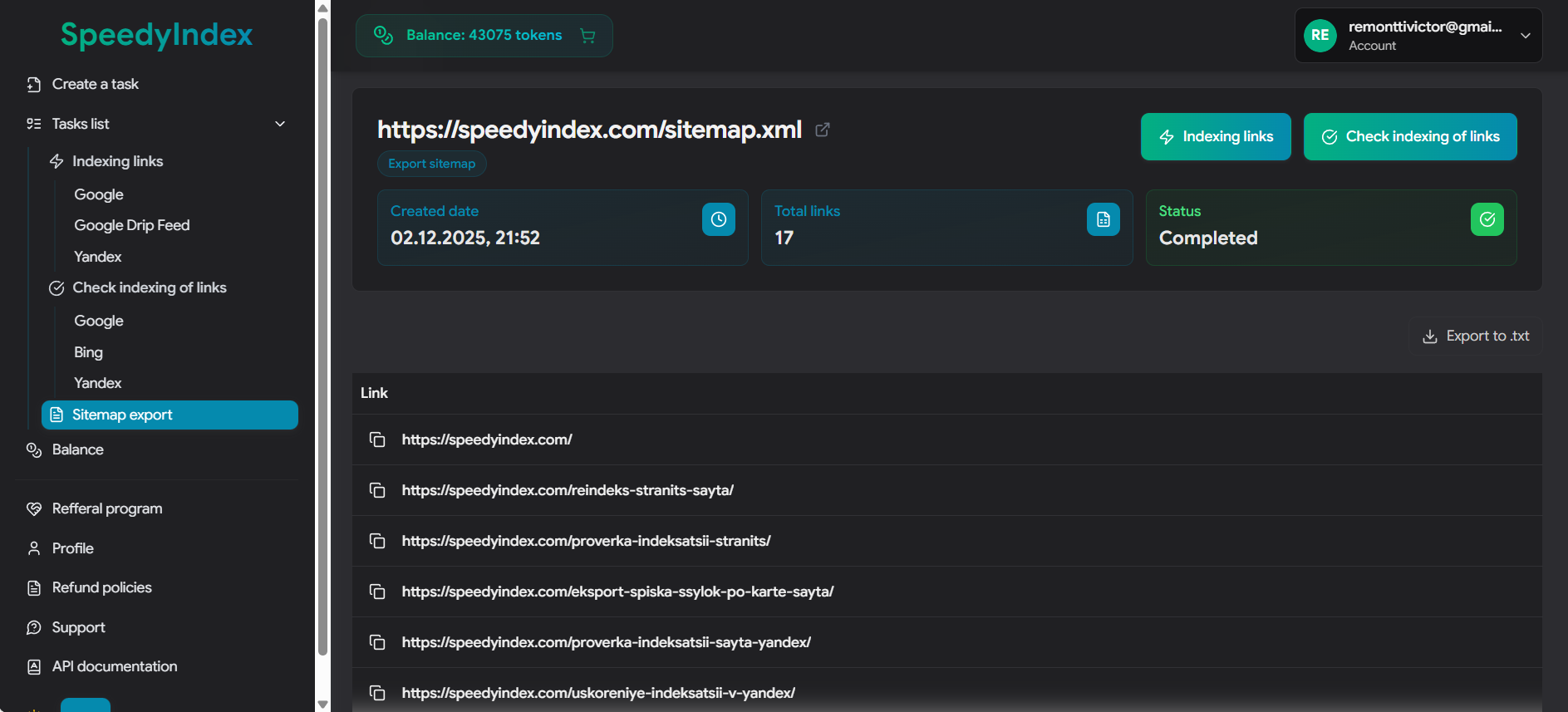
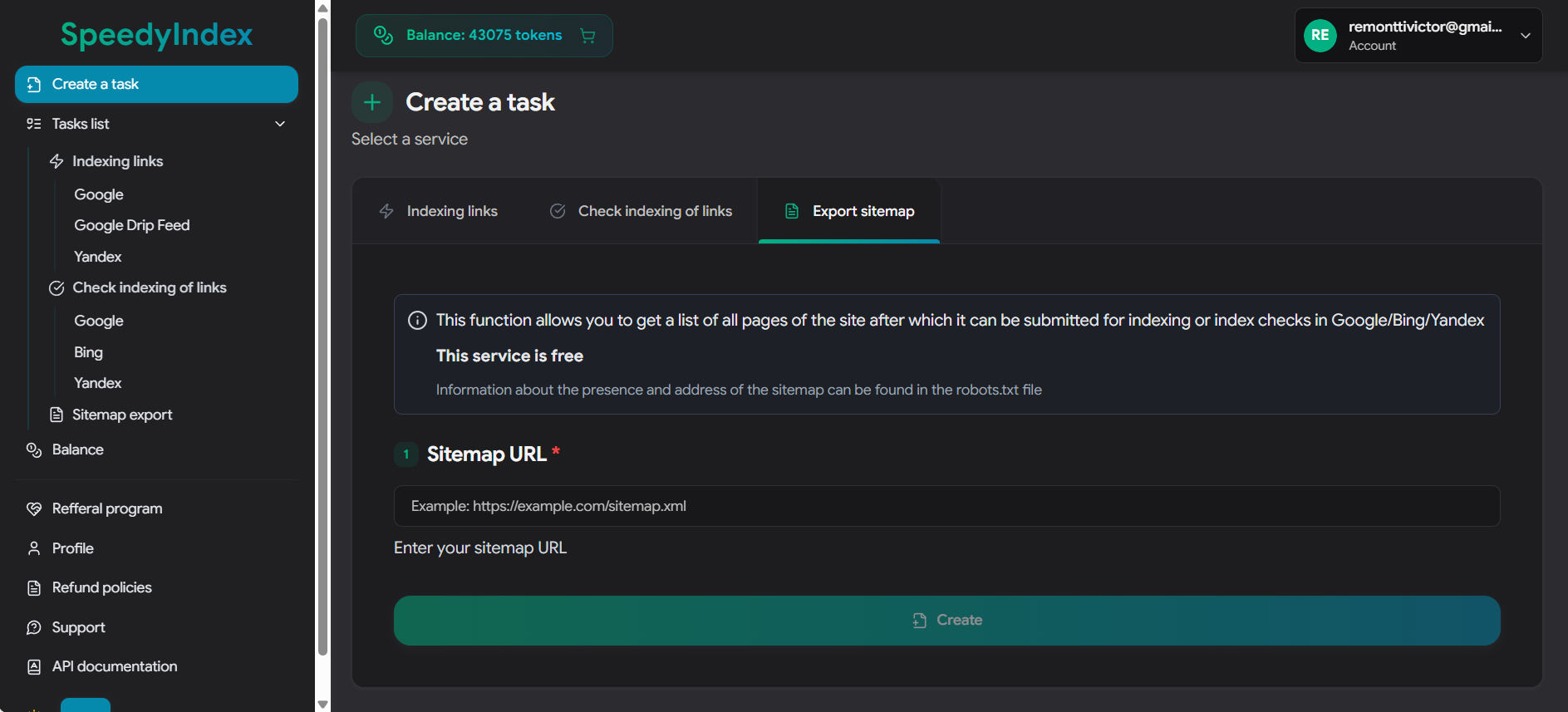
Flux d’audit après extraction
Une fois la liste extraite, enchaînez avec les audits techniques suivants pour vérifier la santé du site.
1. Vérifier le statut d’indexation
Assurez-vous que les URL soumises sont réellement servies par les moteurs. Des URL de sitemap non indexées indiquent un blocage qualité ou technique.
Vérifier l’index Google →2. Auditer les codes de réponse
Parcourez la liste pour détecter les liens brisés (404) ou erreurs serveur (5xx) qui gaspillent le budget d’exploration.
3. Valider la migration
Comparez la liste extraite à la nouvelle structure pour confirmer que les redirections 301 fonctionnent.
Migration Checklist →Liste complète des schémas d’URL de sitemap
If the standard /sitemap.xml renvoie une 404, les webmasters utilisent souvent d’autres conventions selon le CMS ou le serveur. Utilisez ce tableau pour localiser le fichier.
| URL Pattern | Platform / Use Case |
|---|---|
/sitemap.xml |
Le standard. Utilisé par Shopify, Wix, Squarespace, Webflow, Ghost et la plupart des sites HTML statiques. |
/sitemap_index.xml |
WordPress (Plugins). Par défaut chez Yoast SEO, RankMath et All in One SEO. Aussi utilisé pour les grands sites qui découpent les données en plusieurs fichiers. |
/wp-sitemap.xml |
WordPress (Native). Used by WordPress versions 5.5+ if no third-party SEO plugin is installed. |
/sitemap.php |
Dynamic PHP Sites. Courant sur les forums custom (vBulletin, XenForo) ou les scripts PHP qui génèrent le XML à la volée. |
/sitemap.txt |
Plain Text. Used by older systems or simple static sites (Yahoo! style). Contains one URL per line. |
/1_index_sitemap.xml |
PrestaShop. Often prefixed with a number representing the store ID or language ID (e.g., 2_index_sitemap.xml). |
/sitemap.xml.gz |
Compressed. Used by high-volume sites (e.g., news portals) to save bandwidth. Must be unzipped before parsing. |
/feeds/posts/default?orderby=updated |
Blogger (Blogspot). Le flux Atom par défaut utilisé comme sitemap pour Google. |
/sitemap/sitemap.xml |
Frameworks. Structure courante pour Django, Laravel, ou les sites qui organisent les assets en sous-dossiers. |
/news-sitemap.xml |
Google News. Fichier spécifique pour les éditeurs, contenant les articles des 48 dernières heures. |
/image-sitemap.xml |
Image SEO. Fichier dédié aux liens CDN et médias (souvent utilisé par les portfolios photo). |
If none of the above work, check the
/robots.txt file (e.g., example.com/robots.txt). Les webmasters doivent y déclarer l’emplacement du sitemap avec la directive : Sitemap: https://example.com/custom-name.xml.
Pourquoi votre sitemap.xml ne se télécharge pas ou ne s’analyse pas : checklist de dépannage
If the tool can’t fetch your sitemap (Récupérer depuis une URL) or you get an empty URL list, the cause is almost always one of these: anti-bot blocking (Cloudflare/WAF), the wrong file format (gzip/HTML instead of XML), XML syntax errors, redirects and bad HTTP status codes (3xx/4xx/5xx), SSL/TLS problems, encoding issues, or a non‑standard sitemap structure. Below is a detailed checklist that fully answers: “Why can’t I download/parse my sitemap?”
| Issue type | Pourquoi ça échoue (symptôme) | Que faire (correction) |
|---|---|---|
| Compressed sitemap (.gz) |
The URL returns a .gz file (binary). A browser may display it, but automated fetching/copying often returns the wrong format.
|
Téléchargez et décompressez localement (7-Zip, etc.). Puis utilisez l’onglet « Coller le code XML », ou collez le XML décompressé. |
| Cloudflare / WAF / anti-bot (403 Forbidden) | The server blocks automated requests (cURL/fetch): 403, CAPTCHA, JS challenge, Bot Fight Mode, ModSecurity/WAF rules. Sometimes it opens in your browser but the tool can’t fetch it. |
Open the sitemap in your browser, press Ctrl+U (View Source), copy the raw XML, and paste it into the “Coller le code XML” tab.
Also check if your WAF is blocking by User‑Agent, country, or ASN.
|
| HTML returned instead of XML (error/login page) |
The sitemap URL actually returns HTML: a 404 page, login wall, “Access denied”, an anti-bot page, or a custom error page.
The parser can’t find <loc> tags.
|
Open the URL and check “View Source”. A real sitemap should be XML with <urlset>/<sitemapindex> and <loc>.
If it’s HTML, fix the sitemap URL or server access rules.
|
| Redirects (301/302/307/308), chains, or loops | The sitemap URL goes through multiple redirects or gets stuck in a loop. The final URL may end up as 403/404, or redirect to a different domain/protocol/version. |
Make sure the final URL returns 200 OK and XML. Shorten redirect chains and use the canonical sitemap URL
(usually HTTPS + your preferred WWW/non‑WWW version).
|
| SSL/TLS issues (certificate, SNI, outdated ciphers) | HTTPS is enabled, but the certificate is expired/invalid, the chain is broken, SNI is misconfigured, or TLS settings are outdated. Browsers may still load it, while automated clients fail the handshake. | Corrigez le certificat SSL et TLS (chaîne complète, protocoles modernes). Confirmez que le sitemap charge en HTTPS sans avertissement. |
| Server errors (5xx), timeouts, unstable hosting | Le serveur renvoie 500/502/503/504, expire, ou répond trop lentement pendant le téléchargement du sitemap. | Check server logs and limits (PHP/CPU/RAM), CDN/origin settings, and response size. Add caching, increase resources, or split the sitemap into smaller files. |
| Access restrictions (401/403), Basic Auth, staging site | Le sitemap exige une connexion (Basic Auth/jetons) ou est bloqué par IP/géo. L’outil reçoit 401/403. | Rendez le sitemap lisible publiquement (au moins pour les bots). En préprod, retirez-le ou protégez-le volontairement. |
| Wrong format: RSS/Atom/JSON instead of Sitemap XML |
The URL looks like a sitemap, but it’s actually a feed or an API response. It doesn’t follow the Sitemap Protocol and may not contain <loc>.
|
Find the real sitemap: check /robots.txt for a Sitemap: line and try common paths
(/sitemap.xml, /sitemap_index.xml, /wp-sitemap.xml).
|
| Invalid XML (syntax errors) |
Unclosed tags, broken namespaces, unescaped characters (like & instead of &),
or extra text before the first <.
|
Validate the XML (for example, with a W3C XML validator), fix the syntax, and try again. If there’s junk before the XML starts, remove it and keep only the XML document. |
| Encoding problems (BOM, wrong encoding declared) |
The file contains a BOM, uses a weird encoding, or has an incorrect encoding declaration that breaks parsing.
|
Save the file as UTF‑8 (no BOM) and confirm the header is correct:
<?xml version="1.0" encoding="UTF-8"?>. Then paste the XML manually.
|
| Sitemap is too large (size / browser limits) | The file is huge (tens of MB). The browser may run out of memory, freeze, or fail to process the entire list. | Découpez le sitemap (bonne pratique : 50 000 URL max par fichier) et utilisez un Sitemap Index, ou traitez par lots. |
| You uploaded a Sitemap Index (not a page URL sitemap) | It only contains links to other sitemaps (child sitemaps), not actual page URLs—so you might not see page URLs in the output. | Extrayez d’abord les URL des sitemaps enfants, puis analysez chaque enfant pour obtenir la liste finale. |
| Missing <loc> tags / non-standard sitemap structure |
The sitemap is generated incorrectly (no <loc> tags), or it’s a custom XML file that doesn’t follow the Sitemap Protocol.
|
Fix sitemap generation in your CMS/plugin. On WordPress, check your SEO plugin (Yoast/RankMath) or the native /wp-sitemap.xml.
|
| CDN/cache returns different content (varies by geo/UA) | The server returns different responses depending on User‑Agent, country, or other rules—XML for some requests, HTML/errors for others. | Review CDN/WAF rules (UA/Geo variations), and allow sitemap access without strict bot checks. Make sure it always returns the same XML with a 200 status. |
| Rate limiting (429 Too Many Requests) | The server limits request frequency and returns 429. This is common on low-resource hosting or strict security setups. | Augmentez les limites, ajoutez du cache et autorisez l’accès au sitemap. Si la récupération échoue encore, collez le XML manuellement. |
Pour qui est cet outil ?
An XML sitemap extractor saves hours of manual work: you get a clean URL list and use it for technical SEO, index coverage checks, link building workflows, content audits, and migration QA—without crawling the entire site or copy‑pasting URLs.
Auditeurs SEO techniques
Quickly pull a sitemap URL list for a technical audit: check HTTP status codes (404/410/5xx), spot redirects and 301/302 chains, catch duplicates and canonical issues, and verify whether robots.txt or noindex is blocking indexation. This directly impacts crawl budget, crawl frequency, and overall index coverage.
Example: export sitemap URLs and run a bulk status/redirect check to see which site sections are failing and where crawl is being wasted—in 10–15 minutes.
Migrations et QA de refonte
When you change domains, move HTTP→HTTPS, switch WWW vs non‑WWW, or rebuild site structure, you want every old URL to map cleanly to the right new URL via a 301—without loops or long redirect chains. A sitemap-based URL list is the fastest way to validate the migration end-to-end.
Example: extract the old domain’s sitemap URLs and compare them to the new structure: which pages redirect correctly to relevant equivalents, and which ones land on a 404 or a messy redirect chain.
Équipes contenu et rédacteurs
Great for content inventory and content auditing: collect all posts/pages into one spreadsheet, group them into topic clusters, detect duplicates and keyword cannibalization, and plan refreshes, internal linking, and meta tag improvements.
Example: export blog URLs from the sitemap and build a Google Sheets tracker: index status, traffic, last update date, owner, and an action plan for improvements.
Netlinking et vérification des placements
If you buy links, publish guest posts, or run PR placements, you need to know the donor pages are actually indexed in Google and don’t quietly drop out of the SERPs. A sitemap extractor helps you collect a donor site’s URL pool fast, assess donor page quality, run backlink audits, and understand where you’re likely retaining real link equity. It’s also useful for competitor research and finding competitor donor sites.
Example: parse a donor site’s sitemap, find “blog / news / articles” sections, then verify that pages with your placements/backlinks are indexed (and haven’t been deindexed).
E-commerce et grands catalogues
For ecommerce sites, sitemaps are a fast source of category and product URLs. This makes it easier to review index coverage, find URL parameter issues, filter pages (faceted navigation), pagination problems, and duplicate pages that waste crawl budget and slow down indexing.
Example: export product sitemap URLs and category sitemap URLs separately, then compare index coverage: what’s indexed vs what’s missing due to duplicates, canonicals, parameters, or crawl budget limits.
PBN, domaines expirés et recherche de niches
When working with expired domains, site rebuilds, or PBN setups, you often want a quick read on site structure and any “residual index.” If a sitemap is available, the URL list is perfect for fast screening: what pages exist, what’s likely indexable, and what’s worth rebuilding first.
Example: before buying or rebuilding a domain, extract sitemap URLs (if available), check which pages are indexed, review the structure, and prioritize the sections to restore.
Questions fréquentes
Pourquoi l’outil n’arrive-t-il pas à récupérer mon sitemap ?
Les échecs de récupération viennent souvent de pare-feu (Cloudflare, ModSecurity) qui bloquent les requêtes automatisées. Ouvrez alors le sitemap dans le navigateur, copiez le code source (Ctrl+U) et utilisez l’onglet « Coller le code XML ».
Puis-je extraire des URL d’un fichier Sitemap Index ?
Oui. Si vous fournissez un Sitemap Index (fichier parent pointant vers d’autres sitemaps), l’outil extrait les emplacements des sitemaps enfants. Traitez ensuite chaque sitemap enfant pour obtenir les URL de pages.
Les sitemaps Image ou Vidéo sont-ils pris en charge ?
Oui. Le parseur cherche les balises location standard. Pour les sitemaps d’images, il extrait l’URL de la page parente. Les espaces de noms XML WordPress, Shopify et Magento sont pris en charge.
Combien d’URL puis-je extraire d’un coup ?
L’outil s’exécute dans le navigateur et gère confortablement des fichiers jusqu’à 10 Mo (environ 50 000 URL). Pour les fichiers énormes, découpez-les ou augmentez la mémoire du navigateur.
L’extracteur conserve-t-il les attributs hreflang ?
Currently, this tool extracts the primary <loc> (location) tag for indexation checking. It does not parse <xhtml:link> attributes for alternate languages to keep the output clean for bulk auditing tools.
Pourquoi la date Last Modified est-elle importante ?
Google uses the <lastmod> tag to determine if a page has changed since the last crawl. However, this extractor strips metadata to provide a raw URL list, which is the required format for bulk index checkers and crawlers.
Les données extraites sont-elles sûres ?
Oui. L’analyse se fait localement dans le navigateur (côté client) ou via un proxy sans état. Nous ne stockons ni ne journalisons vos données de sitemap.
Comment obtenir l’URL du sitemap ?
Start with the two fastest checks: (1) open https://example.com/robots.txt and look for a Sitemap: line, (2) try common paths like /sitemap.xml, /sitemap_index.xml, or /wp-sitemap.xml (WordPress). Many CMS platforms also link the sitemap in their SEO plugin settings.
Comment obtenir des données XML d’un site ?
Open the XML URL directly in your browser (for example, a sitemap URL). If the site blocks automated fetching (403/WAF), use Ctrl+U (View Source) to copy the raw XML, then paste it into the “Coller le code XML” tab. This avoids CORS issues and many fetch restrictions.
Les sitemaps sont-ils encore pertinents en 2026 ?
Yes. XML sitemaps are still a key technical SEO file for discovery and crawl prioritization—especially for large sites, ecommerce catalogs, news sites, and projects with frequent updates. Sitemaps don’t guarantee indexation, but they help search engines find important URLs, understand update signals (<lastmod>), and reduce missed pages during crawling.
Comment extraire des URL d’un fichier XML ?
In a standard sitemap, URLs are stored inside the <loc> tag. This tool extracts all <loc> values and outputs a clean, one‑URL‑per‑line list you can copy or export to TXT/CSV/PDF.
Comment télécharger un fichier sitemap.xml ?
Open the sitemap URL in your browser (for example https://example.com/sitemap.xml). Then either (1) right‑click → “Save as…”, or (2) open DevTools → Network, reload the page, click the sitemap request, and save the response. If downloading is blocked by WAF, use Ctrl+U (View Source) and copy the raw XML.
Google a-t-il un générateur de sitemap ?
Google ne propose pas de bouton universel « générer un sitemap » dans Search Console. En pratique, le sitemap est généré par le CMS (WordPress, Shopify, Magento, etc.), un plugin SEO (Yoast/RankMath) ou le backend. Une fois généré, vous soumettez l’URL dans Google Search Console.
Comment télécharger du XML depuis le navigateur ?
If the XML opens in the browser, you can usually right‑click and choose “Save as…”. If that doesn’t work, use Ctrl+U (View Source) to get the raw XML and copy it, or use DevTools → Network to open the request and copy/save the response body.
Comment utiliser un sitemap XML ?
Typical workflow: (1) generate the sitemap in your CMS/SEO plugin, (2) make sure it returns 200 OK and contains valid <loc> URLs, (3) submit it in Google Search Console, (4) monitor coverage and indexing statuses, and (5) export URLs for bulk audits (index checks, response code checks, redirect validation, migration QA). This extractor helps with step (5) by turning XML into a clean URL list.